


Design
Built to go places.
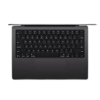
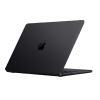
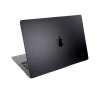
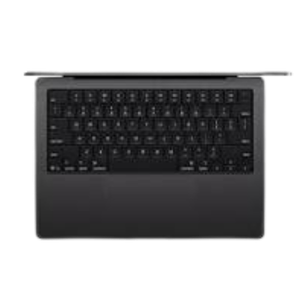
13- and 15-inch MacBook Air laptops — one screen shows Numbers work, the other shows design work
MacBook Air is remarkably light at just 2.7 pounds, and less than half an inch thin. It’s designed to fit easily into your bag, so you can always take it with you. It’s also made with over 50 percent recycled materials and has a durable recycled aluminum enclosure built to withstand daily use.
13”
display
Two perfectly portable sizes. The 13‑inch MacBook Air is the ultimate on-the-go laptop, and the 15‑inch model gives you even more space onscreen for multitasking.3
A person working on their MacBook Air while in an airplane seat
MacBook Air 13”
With up to 18 hours of battery life,1 MacBook Air is built for the long haul.
Two people watching a video on a MacBook Air
MacBook Air 13”
The impressive display makes TV, movies, and games look truly striking wherever you go.
Performance
M5. The chip that zips.
MacBook Air screen showing video editing to demonstrate M5 chip capabilities
Apple M5 Chip
LLM prompt processing performance
Up to
9.5x
faster than
MacBook Air
with M14
Up to
4x
faster than
MacBook Air
with M45
Up to
3.8x
faster than
PC laptop with
Intel Core Ultra X76
AI in the fast lane. MacBook Air delivers blazing‑fast AI performance thanks to the powerful combination of the M5 chip’s GPU, Neural Engine, and unified memory. With a Neural Accelerator built into each GPU core, AI tasks run even more efficiently. From AI image upscaling to running the latest large language models, you’ll be more productive and creative than ever.
Multitasker. Multifaster. The M5 chip brings even more speed and fluidity to everything you do, like seamless switching between loads of apps and tabs, editing 4K video, or playing immersive games like Neverness to Everness. All with a silent, fanless design.
Go inside M5
A person sitting in a chair using their MacBook Air
Live a full battery life. MacBook Air has up to 18 hours of battery life. And it supports fast charging, getting up to 50 percent in just 30 minutes.16 So you can power through everything from work to class to your favorite movies without worrying about your battery.
Up to
18 hrs
battery life1
AI
Built for AI.
From the silicon up.
For everyone from students to small business owners to creative professionals, MacBook Air with M5 is designed to leverage AI in everyday workflows while preserving your privacy. And it’s built for Apple Intelligence, with powerful features across apps and macOS. So whether you’re running LLMs on your Mac or vibe coding, you’ll stay productive — and protected.
MacBook Air screen showing Apple Intelligence Writing Tools creating flash cards about micro and macro economics
AI apps on Mac. Born to run. Mac is optimized to handle AI apps — like ChatGPT, LM Studio, Msty Studio, Topaz Video, and Topaz Photo — so you can learn faster, think in new ways, and get more done.
Image Playground screen with image of a hanging light and generative render text
AI tools in apps. Mac makes magic.
Use intelligent tools to unlock new levels of productivity and creativity — from editing images in Photoshop, to rendering 3D models in Shapr3D, to creating films in Final Cut Pro.
Apple Intelligence.
Do more. Effort less.
Apple Intelligence is the personal intelligence system that helps you write, express yourself, and get things done effortlessly. With groundbreaking privacy protections, it gives you peace of mind that no one else can access your data — not even Apple.2
Great powers come
with great privacy.
Apple Intelligence is designed to protect your privacy at every step. It’s integrated into the core of your Mac through on‑device processing. So it’s aware of your personal information without collecting your personal information.
And with groundbreaking Private Cloud Compute, Apple Intelligence can draw on larger server‑based models, running on Apple silicon, to handle more complex requests for you while protecting your privacy.
MacBook Air with multiple apps open
macOS is designed to support the way you work, create, and connect, with powerful apps and seamless multitasking.
Spotlight helps you act fast. Perform hundreds of actions on your MacBook Air — from finding files and apps to quickly sending a message — all within Spotlight.
Lock screen with Liquid Glass widgets
Liquid Glass. Clearly inspired. The stunning new design with Liquid Glass brings even more clarity to navigation and controls, and unlocks more ways to personalize your experience. Take your icons from light to dark, or choose an alluring clear look.
Right side of Mac screen showing Liquid Glass custom controls, like Wi-Fi and Bluetooth, in Control Center
What you want, right where you want it. The controls you use most like window tiling, screenshots, and accessing your favorite apps can be personalized in the Control Center. A transparent design keeps your display open and uncluttered.
Continuity
Better together.
Mac and iPhone are incredible on their own. But when you use them together, they work wonders. Thanks to Continuity features, you can move seamlessly across devices to share files and photos, hand off tasks, and even control your iPhone from your Mac.
Answer calls and texts
Universal Clipboard
Markup and Sketch
Lock screen with FaceTime app open, list of recent calls next to contact card with Genmoji and person’s name
Your calls and texts come right to your laptop, so there’s no need to switch devices when you’re in the zone.17
Notes, Microsoft PowerPoint
Copy images, video, or text from an app on your iPhone or iPad. Then paste into another app on your nearby Mac — or vice versa.
Multiple Apple devices, the same image on each device, an Apple Pencil has been used to mark up the image on the iPad, markup reflects on the other devices
Sign, annotate, and sketch on iPad or iPhone — live updates appear instantly on your Mac, and you can easily insert them into any document.
New to Mac?
Setup is a breeze. Easily move files, apps and more from your old PC or Mac with Migration Assistant. Or quickly set up your Mac using your iPhone or iPad with Mac Setup Assistant. If you need any help, Apple Support is always just a phone call away.
Access files anywhere with iCloud. iCloud lets you store all your photos, contacts, and documents so they’re available on all your devices. Start a to‑do list on your iPhone and check off items on your MacBook Air — and so much more.
Packed with powerful apps. Mac comes with apps like FaceTime,
Freeform, and Keynote that let you get to work creating and collaborating on your next big idea.
MacBook Air, top exterior, closed, silver color, multicolored stickers surrounding Apple logo
Mac is built to last. Made with durable recycled aluminum enclosures, Mac laptops are ready for just about anything. And free macOS software updates help your Mac work reliably and securely for years to come.
Display
Love at every sight.
The Liquid Retina display on MacBook Air supports 1 billion colors and delivers absolutely stunning resolution. Photos and videos pop with rich contrast and sharp detail, and text appears supercrisp.
MacBook Air showcasing colorful Liquid Retina display
500 nits of brightness. Work comfortably in a range of lighting environments.
P3 wide color. Enjoy an accurate and vivid range of colors for viewing and editing photos and videos.
True Tone technology. True Tone adjusts the warmth of your display to match the ambient light, for a more natural viewing experience.
Camera and Audio
When you move, it moves.
Stay in frame during video calls, even as you move around or when more people join your frame.
Video call on MacBook Air of a person using the Desk View feature to show a math equation to a person on the call, Desk View lets them show their workspace and their face simultaneously
Share a top‑down view of your workspace while staying onscreen — great if you’re tutoring online or showing off your latest project.
Three‑mic array. MacBook Air provides enhanced voice clarity in audio and video calls while minimizing background noise.
Immersive sound system. The speakers on MacBook Air support Spatial Audio along with Dolby Atmos, so you can enjoy a three‑dimensional soundstage for music and movies.
Ports and Connectivity
Well connected.
MagSafeTwo Thunderbolt 4 ports
Headphone jack
The MagSafe charging cable attaches and detaches magnetically, preventing any unintended flights. Two Thunderbolt 4 ports let you connect high‑speed accessories and charge your Mac. The headphone jack supports high‑impedance headphones. And the Apple N1 wireless chip provides Wi‑Fi 7 and Bluetooth 6, improving performance and reliability.19
People using Mac in a work setting
Turn MacBook Air into the perfect workspace by connecting up to two external displays, including Studio Display. The extra screen space makes working with multiple documents or apps a breeze.
Security
Peace of mind
at your fingertip.
Touch ID
Open MacBook Air demonstrating the location of the Touch ID button
Touch ID on the Magic Keyboard gives you a fast, easy and secure way to unlock your Mac and sign in to accounts. And built-in, industry-leading encryption, robust virus protections, and free, automatic security updates help keep your data safe.
There’s never been a better time to upgrade.
Select your current MacBook Air:
MacBook Air (M1)
Here’s what you get with the new MacBook Air with M5.
Bigger, brighter
Liquid Retina display.
MacBook Air screen showing photo of person in colorful outfit, demonstrating color range and resolution of Liquid Retina display
Sky Blue, Silver, Starlight, Midnight.
Find the right color for you.


There are no reviews yet.